Version 0.36.0 released Check out what's new
Write Markdown. Get structure.
A content framework built on Markdoc. Extend Markdown with 100+ semantic runes — tags that transform standard Markdown into structured, SEO-rich, machine-readable content.
npm create refrakt
{% hero align="left" spacing="flush" media-position="bottom" reveal="fade" %}
{% bg gradient="to-br" from="transparent" to="muted/0.2" /%}
{% codegroup overflow="wrap" title="index.md" %}
{% snippet path=$file.path lines="5-24" lang="markdoc" /%}
{% /codegroup %}

---

Version {% $version %} released [Check out what's new](/releases)

# Write Markdown. Get structure.

A content framework built on [Markdoc](https://markdoc.dev). Extend Markdown with 100+ semantic runes — tags that transform standard Markdown into structured, SEO-rich, machine-readable content.

```shell
npm create refrakt
```

- [Get Started](/docs/getting-started)
{% /hero %}
The framework
Why refrakt.md?
Markdown is powerful but limited. Runes extend it with semantic structure — without inventing a new syntax or locking you into a framework.
- Built on Markdoc
- Not another Markdown dialect. refrakt.md extends Markdoc with semantic runes that add meaning to the Markdown you already write. Everything Markdoc does, you keep.
- Runes, not components
- Runes reinterpret the Markdown inside them. A heading inside
{% nav %}becomes a group title. A list inside{% cta %}becomes action buttons. You write Markdown — the rune decides what it means. - SEO from the start
- Every rune can emit Schema.org JSON-LD and Open Graph metadata automatically. Recipes get Recipe schema, events get Event schema, FAQs get FAQ schema — no manual wiring.
- First-class for AI coding agents
- refrakt projects ship an MCP server out of the box. Agents like Claude Code get typed tools for every CLI command and live resources for your plan and rune contracts — so they can scaffold pages, inspect output, and update work items without parsing text or asking for an API key.
- Cross-page pipeline
- Refrakt builds a typed registry of every entity across your content. Plain Markdown becomes a live data layer — query it from any page (
collection/relationships/aggregate), generate routes from it (entityRoutes), link across it (ref/expand). - Portable content
- Runes transform at the Markdoc level, producing a generic tag tree. Your content stays decoupled from presentation — adapters for SvelteKit, Astro, Next.js, Nuxt, Eleventy, and plain HTML.
Composable by design
Runes that work together
The sandbox rune renders code fences as live previews in isolated iframes. Drop two of them inside a juxtapose and you get an interactive light-vs-dark comparison — no custom code. Each rune handles its own job while combining into something greater than the parts.
Built-in SEO
Structured data from plain Markdown
Every rune can emit Schema.org JSON-LD automatically. Write a recipe in Markdown — headings, lists, paragraphs — and the framework extracts Recipe schema, ingredient lists, and step instructions without any manual wiring.
{% recipe prepTime="PT5M" servings=1 difficulty="easy" media-position="start" collapse="md" %}
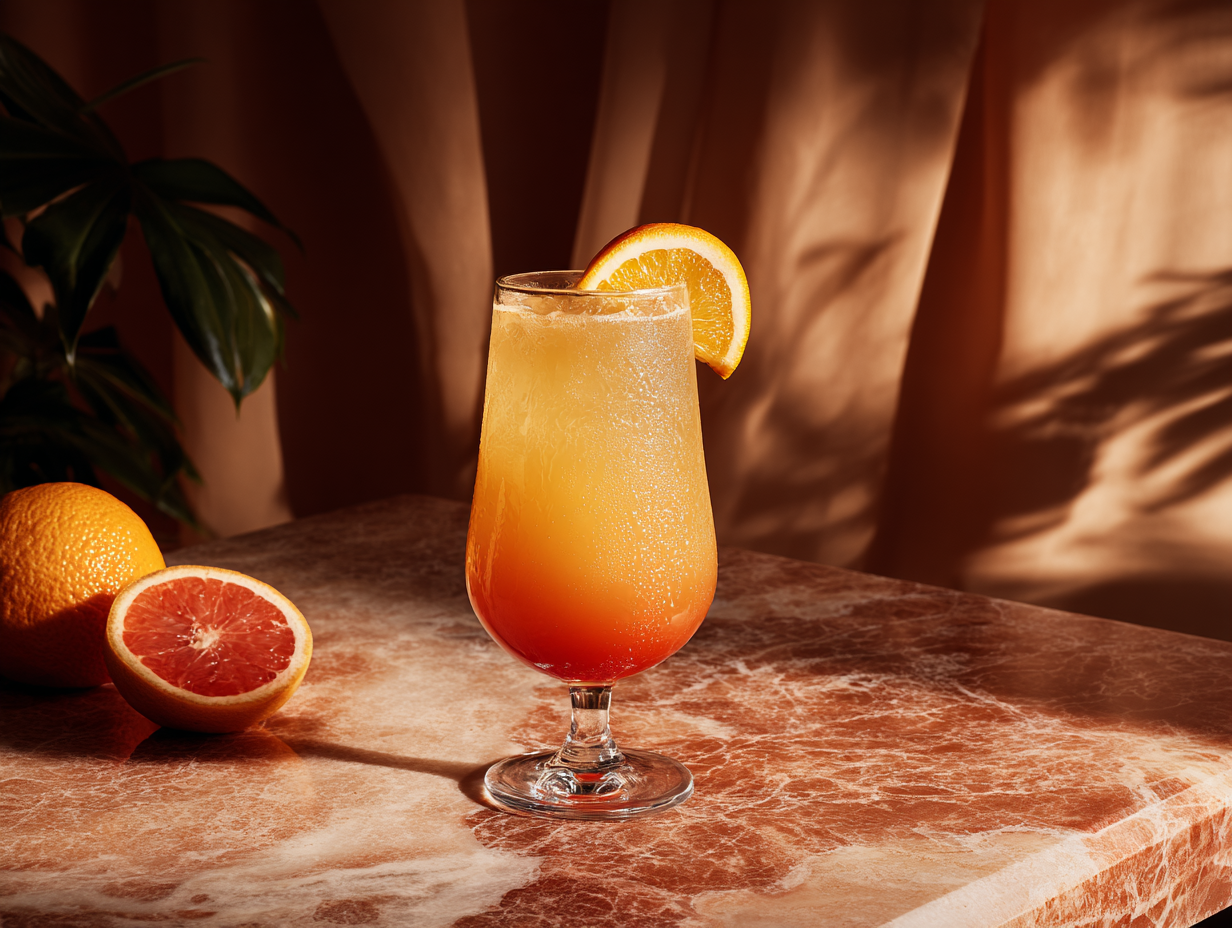
---
A cocktail classic
## Tequila Sunrise
A layered showstopper that transitions from deep orange to golden yellow — like watching the sun come up in a glass.
- 60ml tequila
- 120ml fresh orange juice
- 15ml grenadine
- Orange slice and cherry for garnish
1. Fill a tall glass with ice and pour in the tequila and orange juice. Stir gently.
2. Slowly pour grenadine over the back of a spoon so it sinks to the bottom.
3. Let the layers settle, then garnish with an orange slice and a cherry.
{% /recipe %}<article data-field="content-section" data-rune="recipe" typeof="Recipe" data-rune-fields="{"prepTime":"PT5M","cookTime":"","servings":"1","difficulty":"easy","media-position":"start","collapse":"md"}">
<div data-name="media">
<img src="https://assets.refrakt.md/tequila-sunrise.png" alt="A tequila sunrise cocktail" data-name="mediaImage" property="image">
</div>
<p data-name="eyebrow">A cocktail classic</p>
<h2 id="tequila-sunrise" data-name="headline" property="name">Tequila Sunrise</h2>
<p data-name="blurb" property="description">A layered showstopper that transitions from deep orange to golden yellow — like watching the sun come up in a glass.</p>
<ul data-name="ingredients">
<li data-name="ingredient" property="recipeIngredient">60ml tequila</li>
<li data-name="ingredient" property="recipeIngredient">120ml fresh orange juice</li>
<li data-name="ingredient" property="recipeIngredient">15ml grenadine</li>
<li data-name="ingredient" property="recipeIngredient">Orange slice and cherry for garnish</li>
</ul>
<ol data-name="steps">
<li data-name="step" typeof="HowToStep" property="recipeInstructions">
<p property="text">Fill a tall glass with ice and pour in the tequila and orange juice. Stir gently.</p>
</li>
<li data-name="step" typeof="HowToStep" property="recipeInstructions">
<p property="text">Slowly pour grenadine over the back of a spoon so it sinks to the bottom.</p>
</li>
<li data-name="step" typeof="HowToStep" property="recipeInstructions">
<p property="text">Let the layers settle, then garnish with an orange slice and a cherry.</p>
</li>
</ol>
<meta property="prepTime" content="PT5M">
<meta property="recipeYield" content="1">
</article>
A cocktail classic
Tequila Sunrise
A layered showstopper that transitions from deep orange to golden yellow — like watching the sun come up in a glass.
- 60ml tequila
- 120ml fresh orange juice
- 15ml grenadine
- Orange slice and cherry for garnish
Fill a tall glass with ice and pour in the tequila and orange juice. Stir gently.
Slowly pour grenadine over the back of a spoon so it sinks to the bottom.
Let the layers settle, then garnish with an orange slice and a cherry.
<article data-field="content-section" typeof="Recipe" class="rf-recipe rf-recipe--easy" data-media-position="start" data-prep-time="PT5M" data-cook-time="" data-servings="1" data-difficulty="easy" data-collapse="md" data-elevation="flat" data-rune="recipe" data-density="full">
  <div data-name="media" class="rf-recipe__media" data-section="media" data-media="cover" data-guest-fit="clip">
    <img src="https://assets.refrakt.md/tequila-sunrise.png" alt="A tequila sunrise cocktail" data-name="mediaImage" property="image" class="rf-recipe__mediaImage" />
  </div>
  <div data-name="content" class="rf-recipe__content">
    <header data-name="preamble" class="rf-recipe__preamble" data-section="preamble">
      <p data-name="eyebrow" class="rf-recipe__eyebrow">A cocktail classic</p>
      <h2 id="tequila-sunrise" data-name="headline" property="name" class="rf-recipe__headline" data-section="title">Tequila Sunrise</h2>
      <p data-name="blurb" property="description" class="rf-recipe__blurb" data-section="description">A layered showstopper that transitions from deep orange to golden yellow — like watching the sun come up in a glass.</p>
    </header>
    <dl data-name="metadata" data-zone="metadata" data-zone-layout="definition-list" class="rf-recipe__metadata">
      <div data-name="row" data-field="prepTime" class="rf-recipe__row">
        <dt data-meta-label="">Prep</dt>
        <dd data-meta-type="temporal">5m</dd>
      </div>
      <div data-name="row" data-field="servings" class="rf-recipe__row">
        <dt data-meta-label="">Serves</dt>
        <dd data-meta-type="quantity">1</dd>
      </div>
      <div data-name="row" data-field="difficulty" class="rf-recipe__row">
        <dt data-meta-label="">Difficulty</dt>
        <dd>
          <span class="rf-badge" data-meta-type="category" data-meta-sentiment="positive">easy</span>
        </dd>
      </div>
    </dl>
    <ul data-name="ingredients" class="rf-recipe__ingredients">
      <li data-name="ingredient" property="recipeIngredient" class="rf-recipe__ingredient">60ml tequila</li>
      <li data-name="ingredient" property="recipeIngredient" class="rf-recipe__ingredient">120ml fresh orange juice</li>
      <li data-name="ingredient" property="recipeIngredient" class="rf-recipe__ingredient">15ml grenadine</li>
      <li data-name="ingredient" property="recipeIngredient" class="rf-recipe__ingredient">Orange slice and cherry for garnish</li>
    </ul>
    <ol data-name="steps" class="rf-recipe__steps" data-sequence="numbered">
      <li data-name="step" typeof="HowToStep" property="recipeInstructions" class="rf-recipe__step">
        <p property="text">Fill a tall glass with ice and pour in the tequila and orange juice. Stir gently.</p>
      </li>
      <li data-name="step" typeof="HowToStep" property="recipeInstructions" class="rf-recipe__step">
        <p property="text">Slowly pour grenadine over the back of a spoon so it sinks to the bottom.</p>
      </li>
      <li data-name="step" typeof="HowToStep" property="recipeInstructions" class="rf-recipe__step">
        <p property="text">Let the layers settle, then garnish with an orange slice and a cherry.</p>
      </li>
    </ol>
  </div>
  <meta property="prepTime" content="PT5M" />
  <meta property="recipeYield" content="1" />
</article>
9 packages, 100+ runes
A rune for every domain
Core ships with essentials like hint, tabs, and accordion. Community packages add domain-specific runes — install only what you need.
- Marketing
hero,cta,feature,pricing,testimonial,bento,steps,comparison- Docs
api,symbol,changelog- Design
swatch,palette,typography,spacing,preview,mockup- Learning
howto,recipe- Storytelling
character,realm,faction,lore,plot,bond,storyboard- Business
cast,organization,timeline- Places
event,map,itinerary- Media
playlist,track,audio- Plan
spec,work,bug,decision,milestone
Once you see content through the refrakt lens, plain Markdown starts feeling like it's leaving so much on the table.
Ready to get started?
Scaffold a project in seconds and start writing content with runes.