core
Section
A generic page section — an eyebrow, headline, and blurb above any content
Source
import Markdoc from '@markdoc/markdoc';
import type { Node, RenderableTreeNode } from '@markdoc/markdoc';
const { Tag } = Markdoc;
import { createComponentRenderable, createContentModelSchema, renderNodes } from '../lib/index.js';
import type { ContentFieldDefinition, ContentModel, ResolvedContent } from '@refrakt-md/types';
import { RenderableNodeCursor } from '../lib/renderable.js';
import { schemaHeaderRoles } from '../lib/header-roles.js';
import {
	attributionItemModel,
	readAttribution,
	renderAttributedQuote,
	splitInsideAttribution,
} from '../lib/attribution.js';
import { buildLayoutMetas, extractMediaImage, splitLayoutAttributes } from './common.js';

const alignType = ['start', 'center', 'end'] as const;
const headerModes = ['auto', 'headline', 'none'] as const;
type HeaderMode = (typeof headerModes)[number];
export const mediaKinds = ['portrait', 'cover', 'thumbnail', 'hero', 'icon'] as const;

export const sectionSections = {
	preamble: 'preamble',
	eyebrow: 'eyebrow',
	headline: 'title',
	blurb: 'description',
	body: 'body',
	media: 'media',
} as const;

function headerFields(mode: HeaderMode): ContentFieldDefinition[] {
	const body: ContentFieldDefinition = { name: 'body', match: 'any', optional: true, greedy: true };
	if (mode === 'none') return [body];
	const members: ContentFieldDefinition[] =
		mode === 'headline'
			? [{ name: 'headline', match: 'heading' }]
			: [
					{ name: 'eyebrow', match: 'paragraph', optional: true },
					{ name: 'headline', match: 'heading' },
					{ name: 'blurb', match: 'paragraph', optional: true },
					{
						name: 'epigraph',
						match: '',
						optional: true,
						group: [
							{ name: 'epigraph-quote', match: 'blockquote' },
							{
								name: 'epigraph-attribution',
								match: 'paragraph',
								itemModel: attributionItemModel,
							},
						],
					},
				];
	return [{ name: 'header', match: '', optional: true, group: members }, body];
}

export function sectionContentModel(attrs: Record<string, any>): ContentModel {
	const fields = headerFields((attrs.header as HeaderMode) || 'auto');
	if (!attrs['media-position']) return { type: 'sequence', fields };
	return {
		type: 'delimited',
		delimiter: 'hr',
		zones: [
			{
				name: 'media',
				type: 'sequence',
				fields: [{ name: 'media', match: 'any', optional: true, greedy: true }],
			},
			{ name: 'content', primary: true, type: 'sequence', fields },
			{
				name: 'footer',
				type: 'sequence',
				fields: [{ name: 'footer', match: 'any', optional: true, greedy: true }],
			},
		],
	};
}

export const section = createContentModelSchema({
	sections: sectionSections,
	provides: ['prose'],
	base: splitLayoutAttributes,
	attributes: {
		align: {
			type: String,
			required: false,
			matches: alignType.slice(),
			description: 'Header alignment: start (default), center, or end',
		},
		header: {
			type: String,
			required: false,
			matches: headerModes.slice(),
			description:
				'Which header roles to read: auto (eyebrow, headline and blurb around a leading heading; the default), headline (only the heading), or none (all content is body)',
		},
		media: {
			type: String,
			required: false,
			matches: mediaKinds.slice(),
			description:
				'What the media zone holds, stamped as `data-media` so the media dimension styles it (portrait is cropped round)',
		},
		'guest-fit': {
			type: String,
			required: false,
			matches: ['clip', 'bleed'],
			description:
				'How the media zone holds its guest: clip (default) crops it to the zone, bleed lets it spill past',
		},
		'content-place': {
			type: String,
			required: false,
			description: 'Cover overlay anchor: "<block> <inline>" (e.g. "end start") or "auto"',
		},
		height: {
			type: String,
			required: false,
			matches: ['sm', 'md', 'lg', 'xl'],
			description: 'Intrinsic section height (named scale) for cover sections',
		},
		aspect: {
			type: String,
			required: false,
			description: 'Intrinsic section aspect ratio (e.g. "16/9") for cover sections',
		},
	},
	contentModel: sectionContentModel,
	transform(resolved, attrs, config) {
		const split = !!attrs['media-position'];
		const main = (split ? (resolved.content ?? {}) : resolved) as ResolvedContent;
		const asList = (v: unknown) => (Array.isArray(v) ? v : v ? [v] : []) as Node[];
		const parts = {
			eyebrow: main.eyebrow as Node | undefined,
			headline: main.headline as Node | undefined,
			blurb: main.blurb as Node | undefined,
			body: asList(main.body),
		};
		const zones = {
			media: split ? asList((resolved.media as ResolvedContent | undefined)?.media) : [],
			footer: split ? asList((resolved.footer as ResolvedContent | undefined)?.footer) : [],
		};

		const render = (node: Node | undefined) =>
			node
				? (new RenderableNodeCursor(
						Markdoc.transform([node], config) as RenderableTreeNode[],
					).toArray()[0] as InstanceType<typeof Tag> | undefined)
				: undefined;
		const eyebrow = render(parts.eyebrow);
		const headline = render(parts.headline);
		const blurb = render(parts.blurb);
		let epigraphQuote = main['epigraph-quote'] as Node | undefined;
		let epigraphSource = readAttribution(main['epigraph-attribution'] as Node | undefined);
		const mode = (attrs.header as HeaderMode) || 'auto';
		if (!epigraphQuote && mode === 'auto' && parts.headline) {
			const inside = splitInsideAttribution(parts.body[0]);
			if (inside) {
				epigraphQuote = inside.quote;
				epigraphSource = inside.attribution;
				parts.body = parts.body.slice(1);
			}
		}
		const epigraph =
			epigraphQuote && epigraphSource
				? renderAttributedQuote('epigraph', epigraphQuote, epigraphSource, config)
				: undefined;
		const headerNodes = [eyebrow, headline, blurb, epigraph].filter(
			Boolean,
		) as RenderableTreeNode[];
		const header = new RenderableNodeCursor(headerNodes);
		const body = renderNodes(parts.body, config).wrap('div');

		const align = (attrs.align as string) || 'start';
		const alignMeta = new Tag('meta', { content: align });

		const headerContent = header.count() > 0 ? [header.wrap('header').next()] : [];

		if (!attrs['media-position']) {
			return createComponentRenderable({
				rune: 'section',
				tag: 'section',
				properties: {
					align: alignMeta,
				},
				refs: {
					eyebrow,
					headline,
					blurb,
					epigraph,
					body,
				},
				children: [...headerContent, body.next()],
			});
		}

		const { metas } = buildLayoutMetas(attrs);
		const meta = (name: string) =>
			attrs[name] ? new Tag('meta', { content: attrs[name] as string }) : undefined;

		let media: InstanceType<typeof Tag> | undefined;
		if (zones.media.length > 0) {
			const cursor = new RenderableNodeCursor(
				Markdoc.transform(zones.media, config) as RenderableTreeNode[],
			);
			const img = extractMediaImage(cursor);
			media = new Tag(
				'div',
				{ ...(attrs.media ? { 'data-media': attrs.media as string } : {}) },
				(img ? [img] : cursor.toArray()) as RenderableTreeNode[],
			);
		}
		const footer =
			zones.footer.length > 0
				? new Tag('footer', {}, Markdoc.transform(zones.footer, config) as RenderableTreeNode[])
				: undefined;
		const content = new Tag('div', {}, [
			...headerContent,
			body.next(),
			...(footer ? [footer] : []),
		] as RenderableTreeNode[]);

		return createComponentRenderable({
			rune: 'section',
			tag: 'section',
			properties: {
				align: alignMeta,
				'media-position': metas.mediaPosition,
				'media-ratio': metas.mediaRatio,
				valign: metas.valign,
				collapse: metas.collapse,
				'content-place': meta('content-place'),
				height: meta('height'),
				aspect: meta('aspect'),
				'guest-fit': meta('guest-fit'),
			},
			refs: {
				eyebrow,
				headline,
				blurb,
				epigraph,
				body,
				media,
				content,
				footer,
			},
			children: [...(media ? [media] : []), content],
		});
	},
});

schemaHeaderRoles.set(section, {
	roles: ['eyebrow', 'headline', 'blurb', 'epigraph-quote', 'epigraph-attribution'],
	model: sectionContentModel,
});
Use it to introduce any content block with a title and intro, especially primitives that have no header of their own like bento, a grid of cards, or a collection. To frame content as a bordered tile, one of a grid or list of items, use card.
Basic usage
{% section %}
	Composability

	## Runes that work together

	Every block is a rune — combine them freely to build a page.

	{% bento %}
	## Marketing
	Hero, CTA, pricing, testimonials.

	## Docs
	API references, changelogs, symbols.

	## Storytelling
	Characters, realms, factions, lore.
	{% /bento %}
{% /section %}<section data-rune="section" data-rune-fields="{"align":"start"}">
<header>
<p data-name="eyebrow">Composability</p>
<h2 id="runes-that-work-together" data-name="headline">Runes that work together</h2>
<p data-name="blurb">Every block is a rune — combine them freely to build a page.</p>
</header>
<div data-name="body">
<section data-rune="bento" data-rune-fields="{"gap":"1rem","columns":"6","row-height":"","content-height":"","media-ratio":"","collapse":""}">
<div data-name="grid">
<div data-rune="bento-cell" data-rune-fields="{"size":"large","cols":"4","rows":"2","content-height":"","media-ratio":""}" data-media-position="start" data-field="cell">
<h3 id="marketing" data-name="title">Marketing</h3>
<div data-name="body">
<p>Hero, CTA, pricing, testimonials.</p>
</div>
</div>
<div data-rune="bento-cell" data-rune-fields="{"size":"large","cols":"4","rows":"2","content-height":"","media-ratio":""}" data-media-position="start" data-field="cell">
<h3 id="docs" data-name="title">Docs</h3>
<div data-name="body">
<p>API references, changelogs, symbols.</p>
</div>
</div>
<div data-rune="bento-cell" data-rune-fields="{"size":"large","cols":"4","rows":"2","content-height":"","media-ratio":""}" data-media-position="start" data-field="cell">
<h3 id="storytelling" data-name="title">Storytelling</h3>
<div data-name="body">
<p>Characters, realms, factions, lore.</p>
</div>
</div>
</div>
</section>
</div>
</section>Composability
Runes that work together
Every block is a rune — combine them freely to build a page.
Marketing
Hero, CTA, pricing, testimonials.
Docs
API references, changelogs, symbols.
Storytelling
Characters, realms, factions, lore.
<section class="rf-section rf-section--start" data-align="start" data-rune="section" data-density="full">
  <header data-name="preamble" class="rf-section__preamble" data-section="preamble">
    <p data-name="eyebrow" class="rf-section__eyebrow" data-section="eyebrow">Composability</p>
    <h2 id="runes-that-work-together" data-name="headline" class="rf-section__headline" data-section="title">Runes that work together</h2>
    <p data-name="blurb" class="rf-section__blurb" data-section="description">Every block is a rune — combine them freely to build a page.</p>
  </header>
  <div data-name="body" class="rf-section__body" data-section="body">
    <section class="rf-bento" data-columns="6" data-gap="1rem" data-row-height="" data-content-height="" data-media-ratio="" data-collapse="" data-elevation="flush" data-rune="bento" data-density="full" style="--bento-columns: 6; --bento-gap: 1rem">
      <div data-name="grid" class="rf-bento__grid">
        <div class="rf-bento-cell" data-media-position="start" data-field="cell" data-size="large" data-cols="4" data-rows="2" data-content-height="" data-media-ratio="" data-rune="bento-cell" data-density="compact" style="--cell-cols: 4; --cell-rows: 2">
          <div data-name="content" class="rf-bento-cell__content">
            <h3 id="marketing" data-name="title" class="rf-bento-cell__title" data-section="title">Marketing</h3>
            <div data-name="body" class="rf-bento-cell__body" data-section="body">
              <p>Hero, CTA, pricing, testimonials.</p>
            </div>
          </div>
        </div>
        <div class="rf-bento-cell" data-media-position="start" data-field="cell" data-size="large" data-cols="4" data-rows="2" data-content-height="" data-media-ratio="" data-rune="bento-cell" data-density="compact" style="--cell-cols: 4; --cell-rows: 2">
          <div data-name="content" class="rf-bento-cell__content">
            <h3 id="docs" data-name="title" class="rf-bento-cell__title" data-section="title">Docs</h3>
            <div data-name="body" class="rf-bento-cell__body" data-section="body">
              <p>API references, changelogs, symbols.</p>
            </div>
          </div>
        </div>
        <div class="rf-bento-cell" data-media-position="start" data-field="cell" data-size="large" data-cols="4" data-rows="2" data-content-height="" data-media-ratio="" data-rune="bento-cell" data-density="compact" style="--cell-cols: 4; --cell-rows: 2">
          <div data-name="content" class="rf-bento-cell__content">
            <h3 id="storytelling" data-name="title" class="rf-bento-cell__title" data-section="title">Storytelling</h3>
            <div data-name="body" class="rf-bento-cell__body" data-section="body">
              <p>Characters, realms, factions, lore.</p>
            </div>
          </div>
        </div>
      </div>
    </section>
  </div>
</section>
How Markdown is read
| You write | It becomes |
|---|---|
| A heading at the start of the section | The headline |
| A paragraph directly before that heading | The eyebrow |
| A paragraph directly after it | The blurb |
A blockquote after the headline and blurb, then **Name** — Source | The epigraph (An epigraph) |
| Everything else | The body |
| Content that does not start with a heading, or with one paragraph and then a heading | All body: the section has no header, so prose is never re-read as an eyebrow |
---, when media-position is set | Splits the media, the content and a footer (Media beside or above the content) |
Header-only or body-only
Every header slot is optional. With no leading heading the section is just a styled wrapper around its body; with only a header it's a standalone intro.
An epigraph
A blockquote after the headline and blurb, followed by an attribution, **Name** — Source, is the section's epigraph: a short quotation that opens it. It is part of the header and renders as a <figure data-quote="epigraph"> with its source as the <figcaption>.
{% section %}
## Wandering

Notes on the long way round.

> Not all those who wander are lost.

**J. R. R. Tolkien** — The Fellowship of the Ring

The body begins here.
{% /section %}<section data-rune="section" data-rune-fields="{"align":"start"}">
<header>
<h2 id="wandering" data-name="headline">Wandering</h2>
<p data-name="blurb">Notes on the long way round.</p>
<figure data-quote="epigraph" data-name="epigraph">
<blockquote>
<p>Not all those who wander are lost.</p>
</blockquote>
<figcaption>
<cite data-name="name">J. R. R. Tolkien</cite>
<span data-name="source">The Fellowship of the Ring</span>
</figcaption>
</figure>
</header>
<div data-name="body">
<p>The body begins here.</p>
</div>
</section>Wandering
Notes on the long way round.
Not all those who wander are lost.
The body begins here.
<section class="rf-section rf-section--start" data-align="start" data-rune="section" data-density="full">
  <header data-name="preamble" class="rf-section__preamble" data-section="preamble">
    <h2 id="wandering" data-name="headline" class="rf-section__headline" data-section="title">Wandering</h2>
    <p data-name="blurb" class="rf-section__blurb" data-section="description">Notes on the long way round.</p>
    <figure data-quote="epigraph" data-name="epigraph" class="rf-section__epigraph">
      <blockquote>
        <p>Not all those who wander are lost.</p>
      </blockquote>
      <figcaption>
        <cite data-name="name">J. R. R. Tolkien</cite>
        <span data-name="source">The Fellowship of the Ring</span>
      </figcaption>
    </figure>
  </header>
  <div data-name="body" class="rf-section__body" data-section="body">
    <p>The body begins here.</p>
  </div>
</section>
The attribution can also be the quote's own last line, > — **Name**, Source. The quote and the attribution are read together. Without an attribution the blockquote stays an ordinary quotation in the body, and an attribution on its own after the headline stays the blurb. Every rune composed over section reads epigraphs the same way; set header="headline" to read none.
The same holds at the start of a page: a blockquote that opens a page's content, or directly follows its # title, with an attribution after it, is the page's epigraph.
Choose which header roles to read
header says how much of the start of the section becomes its header:
| Value | Reads |
|---|---|
auto (default) | eyebrow, headline, blurb and epigraph, around a leading heading |
headline | only a leading heading; the paragraph after it stays body |
none | no header; all content is body |
{% section header="headline" %}
## Release notes

This paragraph is body text, not a blurb.
{% /section %}<section data-rune="section" data-rune-fields="{"align":"start"}">
<header>
<h2 id="release-notes" data-name="headline">Release notes</h2>
</header>
<div data-name="body">
<p>This paragraph is body text, not a blurb.</p>
</div>
</section>Release notes
This paragraph is body text, not a blurb.
<section class="rf-section rf-section--start" data-align="start" data-rune="section" data-density="full">
  <header data-name="preamble" class="rf-section__preamble" data-section="preamble">
    <h2 id="release-notes" data-name="headline" class="rf-section__headline" data-section="title">Release notes</h2>
  </header>
  <div data-name="body" class="rf-section__body" data-section="body">
    <p>This paragraph is body text, not a blurb.</p>
  </div>
</section>
A composed rune that places a section gets the same grammar for its slots. When a slot's content lands in a header role the slot is not named for, the build reports slot-header-role and names both remedies: name the field for the role, or set header on the section.
Media beside or above the content
Give a section media-position and it splits on --- the way card does: a leading media zone, the content, and an optional trailing footer. The header stays in the content column, beside or below the media. Without media-position the section reads no zones, and a --- is an ordinary rule in the body.
{% section media-position="start" media-ratio="1/3" %}
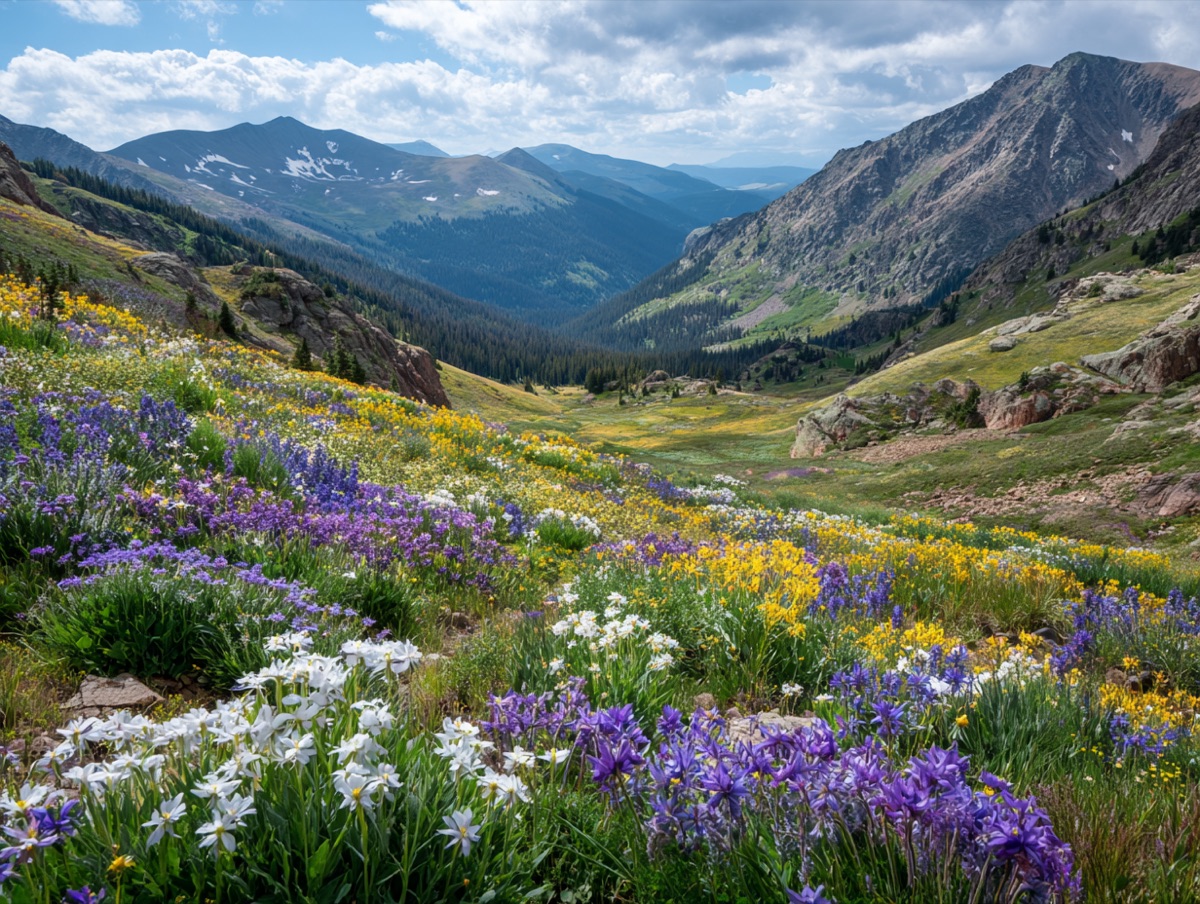
---
Field notes
## The valley at dawn
Mist on the river and the first light on the ridge.
The mist lifts an hour after sunrise, and the trail opens with it.
{% /section %}<section data-rune="section" data-rune-fields="{"align":"start","media-position":"start","media-ratio":"1/3"}">
<div data-name="media">
<img src="https://assets.refrakt.md/media-text-valley.jpg" alt="Mist over a river valley at dawn">
</div>
<div data-name="content">
<header>
<p data-name="eyebrow">Field notes</p>
<h2 id="the-valley-at-dawn" data-name="headline">The valley at dawn</h2>
<p data-name="blurb">Mist on the river and the first light on the ridge.</p>
</header>
<div data-name="body">
<p>The mist lifts an hour after sunrise, and the trail opens with it.</p>
</div>
</div>
</section>
Field notes
The valley at dawn
Mist on the river and the first light on the ridge.
The mist lifts an hour after sunrise, and the trail opens with it.
<section class="rf-section rf-section--start" data-align="start" data-media-position="start" data-media-ratio="1/3" data-rune="section" data-density="full">
  <div data-name="media" class="rf-section__media" data-section="media" data-guest-fit="clip">
    <img src="https://assets.refrakt.md/media-text-valley.jpg" alt="Mist over a river valley at dawn" />
  </div>
  <div data-name="content" class="rf-section__content">
    <header data-name="preamble" class="rf-section__preamble" data-section="preamble">
      <p data-name="eyebrow" class="rf-section__eyebrow" data-section="eyebrow">Field notes</p>
      <h2 id="the-valley-at-dawn" data-name="headline" class="rf-section__headline" data-section="title">The valley at dawn</h2>
      <p data-name="blurb" class="rf-section__blurb" data-section="description">Mist on the river and the first light on the ridge.</p>
    </header>
    <div data-name="body" class="rf-section__body" data-section="body">
      <p>The mist lifts an hour after sunrise, and the trail opens with it.</p>
    </div>
  </div>
</section>
media-position places the media and turns the zones on. Beside the content, media-ratio sets the media's share of the row, valign aligns the two and collapse picks the width at which they stack. media says what the zone holds, so it is styled to match: portrait is cropped round.
The zones count as card's do: one zone is the content, two are media and content, and three or more add the last as the footer. An empty leading zone means no media, and the media element is left out.
guest-fit="bleed" lets the media guest spill past its zone, as a hero image does, where the default clip crops it to the zone. It is stamped as data-guest-fit on the media zone. A displaced guest (frame-displace) then defaults to bleeding too, and frame-overflow="bleed" only has an effect on a bleed section.
Cover
media-position="cover" lays the content over the media, as on card. A section is a page band rather than a card, so its height comes from its content, with a minimum of about half the viewport, never from the media's shape. height (sm to xl) sets a taller minimum and aspect a fixed ratio. With no content-place the content sits mid-band over an evenly darkened scrim, and content-place anchors it elsewhere ("end start"). A flush cover section's media runs edge to edge, with no radius.
Align the header
align positions the header and the section's own row of actions (the body always spans the section). Use center for marquee sections, end to right-align.
{% section align="center" %}
	Pick a plan

	## Simple, transparent pricing

	No hidden fees. Cancel anytime.

	{% bento %}
	## Free
	For trying things out.

	## Pro
	For growing teams.
	{% /bento %}
{% /section %}<section data-rune="section" data-rune-fields="{"align":"center"}">
<header>
<p data-name="eyebrow">Pick a plan</p>
<h2 id="simple-transparent-pricing" data-name="headline">Simple, transparent pricing</h2>
<p data-name="blurb">No hidden fees. Cancel anytime.</p>
</header>
<div data-name="body">
<section data-rune="bento" data-rune-fields="{"gap":"1rem","columns":"6","row-height":"","content-height":"","media-ratio":"","collapse":""}">
<div data-name="grid">
<div data-rune="bento-cell" data-rune-fields="{"size":"large","cols":"4","rows":"2","content-height":"","media-ratio":""}" data-media-position="start" data-field="cell">
<h3 id="free" data-name="title">Free</h3>
<div data-name="body">
<p>For trying things out.</p>
</div>
</div>
<div data-rune="bento-cell" data-rune-fields="{"size":"large","cols":"4","rows":"2","content-height":"","media-ratio":""}" data-media-position="start" data-field="cell">
<h3 id="pro" data-name="title">Pro</h3>
<div data-name="body">
<p>For growing teams.</p>
</div>
</div>
</div>
</section>
</div>
</section>Pick a plan
Simple, transparent pricing
No hidden fees. Cancel anytime.
Free
For trying things out.
Pro
For growing teams.
<section class="rf-section rf-section--center" data-align="center" data-rune="section" data-density="full">
  <header data-name="preamble" class="rf-section__preamble" data-section="preamble">
    <p data-name="eyebrow" class="rf-section__eyebrow" data-section="eyebrow">Pick a plan</p>
    <h2 id="simple-transparent-pricing" data-name="headline" class="rf-section__headline" data-section="title">Simple, transparent pricing</h2>
    <p data-name="blurb" class="rf-section__blurb" data-section="description">No hidden fees. Cancel anytime.</p>
  </header>
  <div data-name="body" class="rf-section__body" data-section="body">
    <section class="rf-bento" data-columns="6" data-gap="1rem" data-row-height="" data-content-height="" data-media-ratio="" data-collapse="" data-elevation="flush" data-rune="bento" data-density="full" style="--bento-columns: 6; --bento-gap: 1rem">
      <div data-name="grid" class="rf-bento__grid">
        <div class="rf-bento-cell" data-media-position="start" data-field="cell" data-size="large" data-cols="4" data-rows="2" data-content-height="" data-media-ratio="" data-rune="bento-cell" data-density="compact" style="--cell-cols: 4; --cell-rows: 2">
          <div data-name="content" class="rf-bento-cell__content">
            <h3 id="free" data-name="title" class="rf-bento-cell__title" data-section="title">Free</h3>
            <div data-name="body" class="rf-bento-cell__body" data-section="body">
              <p>For trying things out.</p>
            </div>
          </div>
        </div>
        <div class="rf-bento-cell" data-media-position="start" data-field="cell" data-size="large" data-cols="4" data-rows="2" data-content-height="" data-media-ratio="" data-rune="bento-cell" data-density="compact" style="--cell-cols: 4; --cell-rows: 2">
          <div data-name="content" class="rf-bento-cell__content">
            <h3 id="pro" data-name="title" class="rf-bento-cell__title" data-section="title">Pro</h3>
            <div data-name="body" class="rf-bento-cell__body" data-section="body">
              <p>For growing teams.</p>
            </div>
          </div>
        </div>
      </div>
    </section>
  </div>
</section>
Anatomy
| Slot | From | Class |
|---|---|---|
| Eyebrow | a paragraph directly before the headline | .rf-section__eyebrow |
| Headline | a heading at the start, or after the eyebrow | .rf-section__headline |
| Blurb | a paragraph directly after the headline | .rf-section__blurb |
| Epigraph | an attributed blockquote after the headline and blurb | .rf-section__epigraph |
| Body | everything else | .rf-section__body |
| Media | the leading zone, with media-position | .rf-section__media |
| Content | the header, body and footer, with media-position | .rf-section__content |
| Footer | a trailing zone after a second ---, with media-position | .rf-section__footer |
The header slots are wrapped in .rf-section__preamble; the whole block is .rf-section.
Attributes
| Attribute | Type | Required | Description |
|---|---|---|---|
align | "start" | "center" | "end" | — | Header alignment: start (default), center, or end |
header | "auto" | "headline" | "none" | — | Which header roles to read: auto (eyebrow, headline and blurb around a leading heading; the default), headline (only the heading), or none (all content is body) |
media | "portrait" | "cover" | "thumbnail" | "hero" | "icon" | — | What the media zone holds, stamped as `data-media` so the media dimension styles it (portrait is cropped round) |
guest-fit | "clip" | "bleed" | — | How the media zone holds its guest: clip (default) crops it to the zone, bleed lets it spill past |
content-place | string | — | Cover overlay anchor: "<block> <inline>" (e.g. "end start") or "auto" |
height | "sm" | "md" | "lg" | "xl" | — | Intrinsic section height (named scale) for cover sections |
aspect | string | — | Intrinsic section aspect ratio (e.g. "16/9") for cover sections |
Inherited from the split layout preset
| Attribute | Type | Required | Description |
|---|---|---|---|
media-position | "top" | "bottom" | "start" | "end" | "cover" | — | Where the media zone sits relative to the content: above (top), below (bottom), or beside (start/end) |
media-ratio | "1/3" | "2/5" | "1/2" | "3/5" | "2/3" | — | Media zone’s share of the row width when media is beside content (start/end) |
valign | "top" | "center" | "bottom" | "stretch" | — | Cross-axis alignment when media is beside content (start/end); applies to the shorter zone |
collapse | "sm" | "md" | "lg" | "never" | — | Breakpoint at which side-by-side layouts collapse to a single stacked column |
Universal attributes
bg
The background layer: image, video, gradient, flat overlay wash and legibility scrim, in a single injected layer behind the rune's content.
| Attribute | Type | Required | Description |
|---|---|---|---|
bg | string | — | Background preset applied to this block |
bg-from | string | — | Gradient start colour — a semantic token name (→ var(--rf-color-*)) |
bg-gradient | "to-t" | "to-b" | "to-l" | "to-r" | "to-tr" | "to-br" | "to-bl" | "to-tl" | — | Gradient direction (bounded named set) |
bg-gradient-type | "linear" | "radial" | "conic" | — | Gradient type |
bg-to | string | — | Gradient end colour — a semantic token name |
bg-via | string | — | Optional middle gradient stop — a semantic token name |
scrim | "top" | "bottom" | "left" | "right" | "none" | — | Scrim direction (heaviest edge); presence turns the scrim on, "none" opts out of the default cover scrim |
scrim-blur | "none" | "sm" | "md" | "lg" | — | Frost scrim blur amount |
scrim-strength | "sm" | "md" | "lg" | — | Gradient scrim strength |
scrim-tone | "dark" | "light" | — | Whether the scrim darkens (for light text) or lightens (for dark text) |
scrim-type | "gradient" | "frost" | — | Scrim treatment: gradient (default) or frost (backdrop blur) |
dropcap
Per-instance drop-cap opt-in.
| Attribute | Type | Required | Description |
|---|---|---|---|
dropcap | boolean | — | Style the opening letter of a prose body as a drop cap. Honoured only when the body reads as prose; ignored otherwise. |
elevation
How far the rune sits off the page, from sunken to overlay. The theme decides what each step looks like.
| Attribute | Type | Required | Description |
|---|---|---|---|
elevation | "sunken" | "flush" | "flat" | "raised" | "floating" | "overlay" | "none" | "sm" | "md" | "lg" | — | Surface depth, from sunken to overlay. Deprecated: none, sm, md and lg (read as flat, raised, raised and floating) |
frame
Surface chrome: a named preset from the theme registry with inline `frame-*` overrides layered on top.
| Attribute | Type | Required | Description |
|---|---|---|---|
frame | string | — | Named frame preset presenting this block's media surface |
frame-anchor | string | — | Crop focal point when the guest is cut (object-position) |
frame-aspect | string | — | Aspect ratio of the framed media, e.g. "16/9" |
frame-displace | "top" | "bottom" | "end" | "bottom-end" | "top-end" | "both" | — | Edge/corner the framed guest moves toward |
frame-displace-mode | "peek" | "bleed" | — | How displacement renders: `peek` (default) translates the guest visually inside its frame target; `bleed` uses negative margin on the media zone so following layout pulls up — extends past a section like a hero without leaving a gap above |
frame-offset | "none" | "sm" | "md" | "lg" | "xl" | "2xl" | "3xl" | "4xl" | — | Displacement distance (non-linear named scale: sm…xl ride the block-spacing tokens, 2xl/3xl/4xl step up to section-spacing for bleed-mode displacements that clear a section edge) |
frame-overflow | "clip" | "bleed" | — | How the frame handles a guest whose content is wider than it: `clip` (default) keeps it inside the rounded frame; `bleed` runs an overflowing guest out to the layout edge on a narrow viewport so it reads as cropped by the screen (a bleed host only — hero/feature) |
frame-oversize | string | — | How far the guest exceeds its slot (scale factor) |
frame-place | string | — | Guest-box alignment in the slot (e.g. "left top") |
frame-shadow | "none" | "sm" | "md" | "lg" | — | Silhouette drop-shadow strength for the framed media |
inset
Internal padding override.
| Attribute | Type | Required | Description |
|---|---|---|---|
inset | "flush" | "tight" | "default" | "loose" | "breathe" | — | Inner padding of this block |
motion
Scroll-reveal entrance. You choose its character; the theme decides how it moves.
| Attribute | Type | Required | Description |
|---|---|---|---|
reveal | "none" | "fade" | "slide" | "scale" | "blur" | — | Scroll-reveal entrance character (none|fade|slide|scale|blur); the theme owns the choreography |
stagger | boolean | — | Cascade this block's items in as it reveals (no-op on single-child runes) |
prominence
Header emphasis. Scales a rune's header, or its featured quotation; the theme decides the type size for each step.
| Attribute | Type | Required | Description |
|---|---|---|---|
prominence | "quiet" | "normal" | "prominent" | "display" | "marquee" | — | Emphasis of a page-section header or a featured quotation (only on runes that have one) |
reading
Editorial register for body text. You pick the register; the theme decides how it looks.
| Attribute | Type | Required | Description |
|---|---|---|---|
reading | "fine" | "ui" | "prose" | — | Reading register for this block’s body: fine | ui | prose. The theme sets how each one looks. |
spacing
Block-level rhythm override.
| Attribute | Type | Required | Description |
|---|---|---|---|
spacing | "flush" | "tight" | "default" | "loose" | "breathe" | — | Vertical spacing above and below this block |
substrate
Generated pattern fills behind the content, drawn by the theme.
| Attribute | Type | Required | Description |
|---|---|---|---|
substrate | "dots" | "grid" | "lines" | "cross" | "checker" | "none" | — | Generated surface pattern |
substrate-fill | "inherit" | "inset" | — | Surface fill the pattern sits on (full colour stays with tint) |
substrate-opacity | "sm" | "md" | "lg" | — | Pattern ink strength |
substrate-size | "sm" | "md" | "lg" | — | Pattern cell size |
substrate-target | "self" | "media" | — | Which surface the pattern fills (overrides the rune/theme default) |
tint
Per-rune colour override: a named tint from the theme registry, with inline per-token overrides layered on top.
| Attribute | Type | Required | Description |
|---|---|---|---|
tint | string | — | Color tint preset applied to this block |
tint-mode | "auto" | "dark" | "light" | — | Whether the tint adapts to auto, dark, or light mode |
width
The track a block rune occupies.
| Attribute | Type | Required | Description |
|---|---|---|---|
width | "compact" | "narrow" | "content" | "wide" | "full" | — | Maximum width constraint for this block |